
First Thing to Try After Installing One UI 8.5 Beta on Your Phone
Samsung launched the One UI 8.5 beta program on December 12. If you live in one of the eligible countries, you can register your Galaxy S25 (excluding the Edge model) to test the new software and explore its features. For those who have already installed the beta, the first thing to try is the enhanced customization options in the Quick Panel.
Customize the Quick Panel in One UI 8.5
The Quick Panel was already customizable in previous versions, but One UI 8.5 takes this to a new level. Samsung has made the Quick Panel fully customizable, allowing you to add or remove any quick setting toggle. You can also adjust the size of the toggles and switch between horizontal and vertical layouts for certain items within the panel.
You have the option to choose between 1×1 and 1×2 sizes for all quick setting toggles. The brightness and volume sliders offer even more flexibility, supporting 1×3 and 1×4 sizes as well as horizontal and vertical layouts. If you find the media player widget unnecessary, you can remove it from the Quick Panel entirely.
Improved Toggle Management and Organization
One UI 7.0 allowed some Quick Setting customization, but users were frustrated that toggles like Smart View and SmartThings could not be removed. Samsung has listened to this feedback. In One UI 8.5, you can completely remove both of these toggles if you wish.
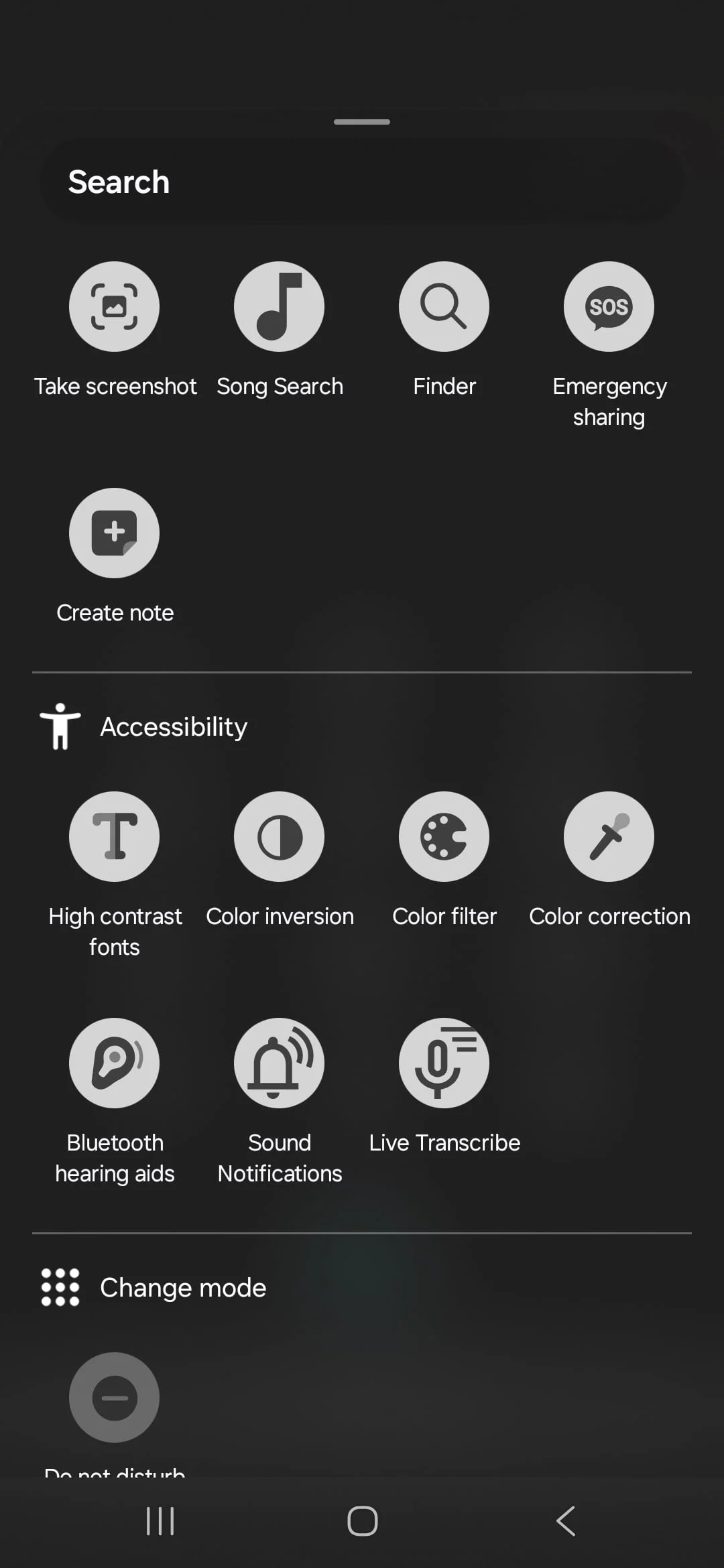
Another improvement is how toggles are organized when you add them to the Quick Panel. In One UI 7.0 and 8.0, all available toggles appeared in one long list. One UI 8.5 sorts them into clear sections, such as Accessibility, Capture, Connected Devices, Connections, Display, Modes, Now Playing, Samsung Notes, Security and Policy, Sound, System Apps, and Utilities. This makes it easier to find and add the toggles you want.
Although you still cannot add the same toggle more than once, Samsung may introduce this feature in the next major One UI update. Overall, the ability to customize the Quick Panel extensively is one of the biggest changes in One UI 8.5 and is definitely the first thing to try after installing the beta on your phone.
For more stories on this topic, visit our category page.
Source: original article.