
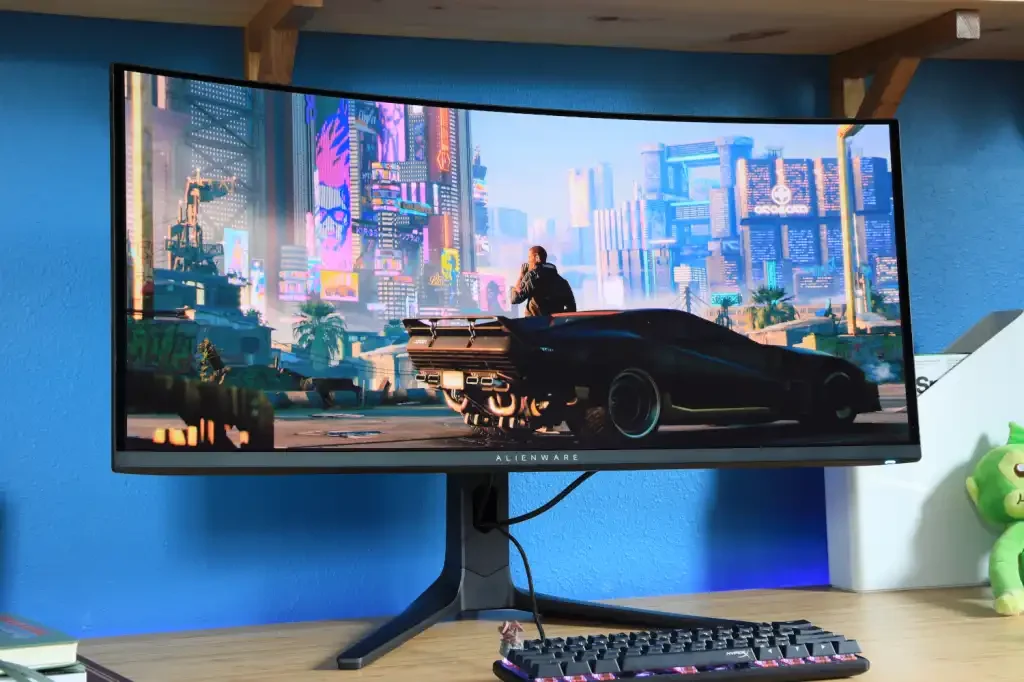
Is an Ultrawide Desktop Monitor Right for You? Understanding the Benefits and Top Models
When considering whether an ultrawide desktop monitor is right for you, many people weigh the value of investing in one. These monitors have grown in popularity for gaming, work productivity, and entertainment due to their expansive screen space, high resolution, and immersive experience. Ultrawide monitors offer a seamless viewing area that enhances both functionality and style. This guide explores key questions about ultrawide desktop monitors, examines the technology behind some of the best models, and helps you decide if this type of monitor suits your needs.
Ultrawide desktop monitors provide a wider field of view compared to traditional screens, making them appealing for various uses. Whether you are a gamer seeking fluid visuals, a professional needing multitasking capabilities, or a content creator requiring color accuracy, there is an ultrawide monitor designed to meet those demands.
Top Ultrawide Desktop Monitors for Gaming, Productivity, and Multitasking
One standout gaming option is the LG 34GP83A-B. It features a 34-inch screen with a 3440×1440 QHD resolution, delivering sharp detail and clarity. Gamers benefit from its 144Hz refresh rate and 1ms response time, which reduce motion blur during fast-paced gameplay. The monitor supports VESA DisplayHDR400 for enhanced brightness and contrast, and its NVIDIA G-Sync compatibility minimizes screen tearing and stuttering, providing smoother gameplay for NVIDIA GPU users. This model is ideal for gamers who want an ultrawide desktop monitor that excels in speed and immersion.
For maximum immersion, the Samsung Odyssey G9 offers a massive 49-inch curved screen with a 5120×1440 resolution, equivalent to two 27-inch 1440p monitors side-by-side. Its 1000R curvature matches the human eye’s natural curve, reducing eye strain and providing a fuller field of view. With a 240Hz refresh rate and 1ms response time, it delivers fluid visuals perfect for gaming and detailed work. The Odyssey G9 also features HDR1000 for superior brightness and contrast, along with Quantum Dot technology for vibrant, realistic colors. This monitor is an excellent choice for users who want to maximize screen space and immersion.
For productivity, the Dell UltraSharp U3818DW stands out with a 38-inch screen and 3840×1600 resolution. It offers ample space for multitasking, making it suitable for spreadsheet users, graphic designers, and video editors. Known for its color accuracy, this model covers 99% of the sRGB color gamut, ensuring consistent and precise colors. USB-C connectivity simplifies workspace setup by allowing charging, data transfer, and video output through a single cable. Additionally, Dell’s ComfortView feature reduces blue light emissions, minimizing eye strain during long work sessions. This monitor is designed to enhance productivity with its large screen and versatile connectivity.
Gamers seeking the ultimate ultrawide experience may prefer the Acer Predator X35. This 35-inch curved monitor features a 3440×1440 resolution and a high 200Hz refresh rate for smooth motion. It supports G-Sync Ultimate, optimizing synchronization with NVIDIA graphics cards to eliminate screen tearing. Like the Samsung G9, it includes HDR1000 and Quantum Dot technology for vivid colors and high contrast. An ambient light sensor adjusts brightness based on room lighting, improving eye comfort and conserving power. The Predator X35 is a top-tier choice for gamers who want elite performance and immersive visuals.
For multitasking professionals, the Philips 499P9H offers a 49-inch ultrawide display with a 5120×1440 resolution, similar to having two 27-inch monitors side-by-side. Its 1800R curved VA panel reduces eye strain and provides strong color contrast, suitable for both work and entertainment. The built-in pop-up webcam supports Windows Hello for secure logins, making it convenient for remote work. Acting as a USB-C hub, this monitor enables charging, data transfer, and display output through a single cable. Philips combines a large screen, integrated webcam, and USB-C hub to create an ideal ultrawide desktop monitor for multitaskers.
Content creators and media consumers may find the BenQ EX3501R appealing. This 35-inch monitor offers a 3440×1440 resolution with HDR10 support and 100% sRGB coverage, ensuring accurate colors for photo editing and video production. AMD FreeSync technology reduces screen tearing and stuttering, making it suitable for casual gaming. Its Brightness Intelligence Plus feature automatically adjusts screen brightness based on ambient light, enhancing visual comfort. The BenQ EX3501R balances professional needs and casual gaming with its color accuracy and adaptive features.
Key Considerations When Deciding If an Ultrawide Desktop Monitor Is Right for You
Choosing an ultrawide desktop monitor requires understanding your primary use cases, whether gaming, work, or multimedia. Important factors include screen size, resolution, refresh rate, panel type, and additional features such as HDR support, color accuracy, and connectivity.
Screen sizes for ultrawide monitors typically range from 29 to 49 inches. Larger screens usually come with higher resolutions to maintain image clarity. For example, 34-inch models often have a 3440×1440 resolution, while 49-inch models feature 5120×1440 resolution. Higher resolutions reduce pixelation, making images and text sharper.
Refresh rate and response time are crucial for gamers. A refresh rate of 144Hz or higher provides smooth motion, especially in fast-paced games. For general productivity, a refresh rate of 60Hz to 75Hz is usually sufficient. Response times of 1ms or 2ms help reduce motion blur and ghosting during gameplay.
Panel types vary in their strengths. IPS panels offer excellent color accuracy and wide viewing angles, ideal for creative work. VA panels provide higher contrast ratios and deeper blacks, making them better for watching movies or gaming in darker environments. TN panels, though rare in ultrawide monitors, deliver the fastest response times, favored by competitive gamers.
HDR technology enhances contrast and brightness. HDR10 and HDR1000 standards improve visuals, especially for gaming and media. For those requiring precise color, monitors covering at least 99% of the sRGB color space or wider gamuts like Adobe RGB and DCI-P3 are recommended.
Connectivity options like USB-C are increasingly common, simplifying workspace setups by combining charging, data transfer, and video output in one cable. Additional features such as built-in webcams, ambient light sensors, and USB-C hubs add convenience and value.
Are Ultrawide Desktop Monitors Worth the Investment?
Ultrawide desktop monitors offer a larger, more immersive screen experience that can boost productivity and enhance gaming. They eliminate the need for dual monitors, reducing cable clutter and providing a seamless viewing area without distracting bezels. Whether you are gaming, designing, or managing large spreadsheets, an ultrawide monitor can transform your workspace.
The decision to invest in an ultrawide desktop monitor depends on your specific needs and budget. These monitors tend to be more expensive than standard displays, but their features and convenience often justify the cost. Selecting the right model tailored to your preferences can elevate both your workflow and your enjoyment of screen time. If you value expansive screen space, immersive visuals, and streamlined setups, an ultrawide desktop monitor is likely a worthwhile choice.
For more stories on this topic, visit our category page.
Source: original article.